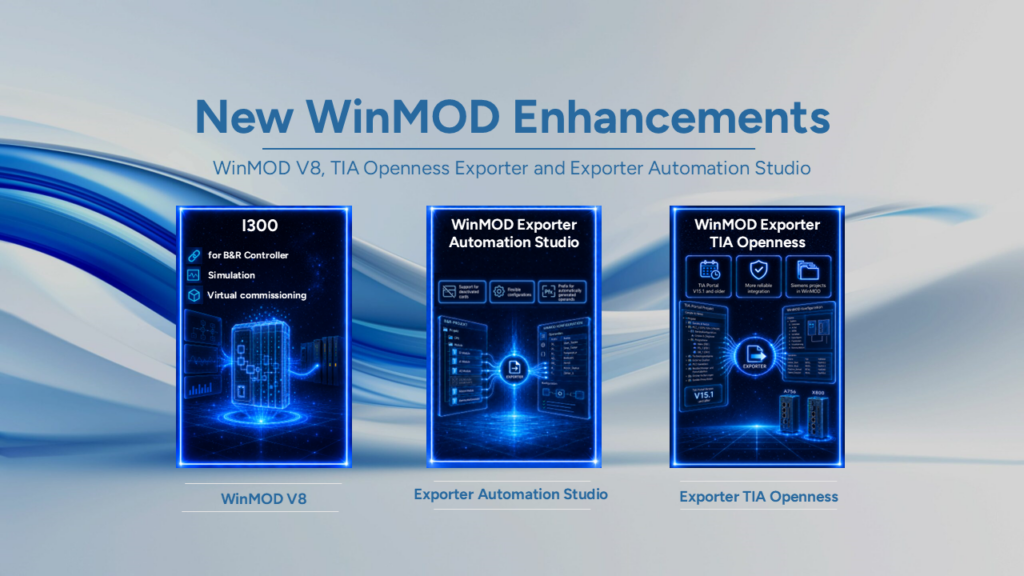
Enhanced with new features WinMOD V8 project management, signal processing and the configuration of simulation models. Furthermore, the extensions make it easier to work with data formats and various system functions. This benefits applications relating to Simulation, Digital Twin and Virtual Commissioning.
Highlights:
- Improved storage and change detection for window schemes
Choosing a Window layouts can now be done using the function Save all save.
This also applies to the simulation element BTN_01 The change detection functionality has been enhanced.
Selecting a different window scheme is now recognised as a change. This ensures that adjustments to window schemes are better taken into account when editing simulation projects.
- Advanced change detection and undo functions
Forced signal elements and forced values are now recognised as changes within a macro and saved. In addition, further changes to simulation elements can be undone. These adjustments are also taken into account in the change detection process. This simplifies the post-processing of simulation models and improves control over the changes made.
- Improved clipboard and multi-edit functionality
WinMOD V8 now offers improved compatibility with the Windows clipboard. Furthermore, users can edit several simulation elements at the same time. This applies to the properties Internal format, External format and graphically wired. This reduces the effort involved in recurring configuration steps.
- Advanced signal processing and dynamic time inputs
The simulation elements HIS_0x are now supporting the Wired-OR behaviour. The elements only write their associated operands under certain conditions. In addition, WinMOD now interprets negative time values for elements with dynamic time inputs as 0. This applies to *TL, *T, *TOn, *TOff and *Delay. WinMOD V8 thus improves the handling of the relevant signal and time values.
- Optimised copying and pasting of simulation elements
At DQF_01-The set value remains the same for these elements Queue length is now retained when copying and pasting. Furthermore, the input retains C a simulation element retains its value or state when copied and pasted. This ensures that important settings are preserved when simulation elements are transferred. This reduces the need for manual rework and makes it easier to create extensive simulation models.
- Enhanced analogue formats with greater accuracy
The internal analogue format for Floating-point and fixed-point values now supports up to 15 decimal places. This allows the relevant values to be configured with a greater number of decimal places. In addition, the preview for the Logical value range improved. The optimisation relates to the dialogue Internal fixed-point analogue format. This makes it easier to check the set value ranges during configuration of simulation models.
- Improved display of 64-bit digital formats
In the case of internal 64-bit digital formats displays the input field Range of values Now displays the complete binary input. This allows users to view and check even longer binary values in full. This improves clarity and makes it easier to perform configuration on the relevant digital formats.
- Accessories for the X550 and A755
The Project window shows when X550 now supports complex signal data structures. This gives users a better overview of the relevant signal structures within the project. In addition, the A755 now also Cycle times of up to 1 ms. WinMOD V8 thus expands the range of possible applications for simulation with short cycle times.
- Read-only operand properties and improved F1 help
In the RUN mode WinMOD preserves the operand properties Internal format and External format now before any changes are made. This ensures that these settings remain unchanged during RUN mode. Furthermore, WinMOD V8 improves the registration of the F1 key for all applications. This means that users can access the relevant help more reliably using the keyboard.
The new features in WinMOD V8 improve key workflows in project management and signal processing. At the same time, they simplify model maintenance and expand the options for Configuration of complex simulation projects. In this way, WinMOD continues to support efficient Software Testing, Digital Twins and Virtual Commissioning of automation systems.
If you have any questions about the new features or how to use them, our support team will be happy to help as usual.