With its latest enhancements, WinMOD improves the management of project data and recorded information. Automation via the WinMOD Tool API has also been further expanded. New functions in the Hub and Analyzer make it even easier to analyse complex simulation data. This makes day-to-day workflows with WinMOD more efficient and clearer.
Highlights:
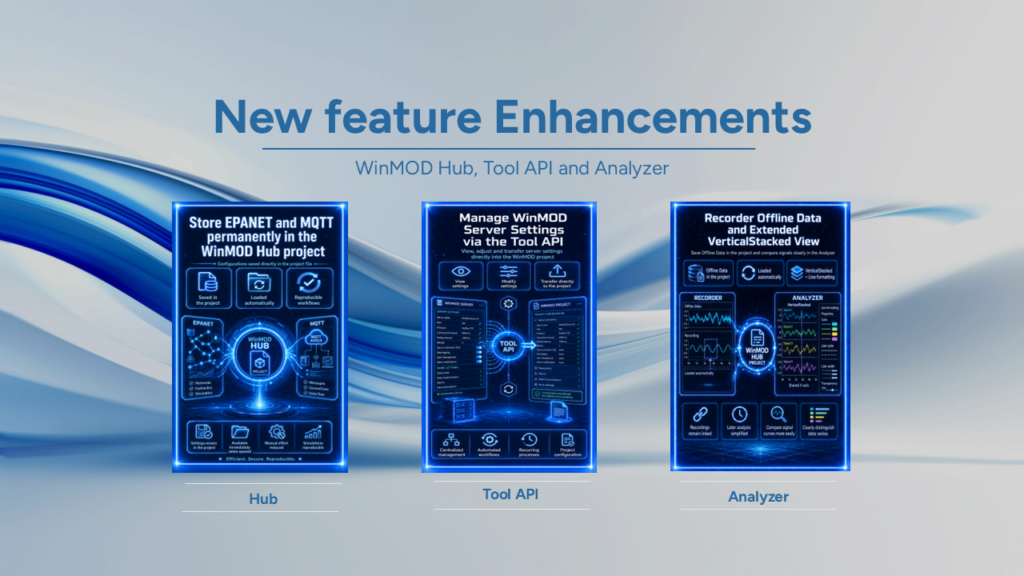
- Save EPANET and MQTT permanently in the WinMOD Hub project
The WinMOD Hub stores configurations for EPANET and MQTT directly in the project file.
When the project is opened, the Hub automatically reloads this information.
This ensures that the required settings remain permanently linked to the relevant project.
The number of manual configuration steps required after reopening a project is reduced.
This simplifies project management and improves the reproducibility of simulation workflows.
- Managing WinMOD server settings via the Tool API
The WinMOD Tool API offers new ways to manage WinMOD server settings.
Users can now view and selectively modify these settings. The adjusted settings can then be transferred directly into the WinMOD project. This enables further project planning processes to be automated and controlled centrally. The extension is particularly useful for supporting recurring engineering processes and automated project configurations.
- Offline Data Recorder and enhanced VerticalStacked view
Recorded data from the recorder is now saved directly to the project file in WinMOD Hub.
When it is opened again, the hub loads these Offline data automatically. This ensures that recordings remain permanently linked to the relevant WinMOD project. This facilitates subsequent analysis and comparison of simulation data that has already been recorded. The VerticalStacked display The Analyser has been enhanced. Lines can now be formatted directly via the Properties window. VerticalStacked arranges multiple charts or Y-axes vertically one above the other. The data series share a common X-axis. This allows different signal curves to be clearly compared with one another. The new line formatting also improves the visual distinction between individual data series.
These enhancements improve project management, Automation and data analysis within the WinMOD system platform. Users benefit from fewer manual steps and better-structured analysis processes. WinMOD thus supports efficient workflows in simulation, software testing and virtual commissioning.
If you have any questions about the new features or how to use them, our support team will be happy to help as usual.