The latest enhancements improve the user experience with the WinMOD Hub and introduce two new WinMOD tools. They streamline workflows, reduce unnecessary queries and support simulation, software testing and virtual commissioning. They also make the use of digital twins more efficient.
Highlights:
- Improvements to the WinMOD Hub
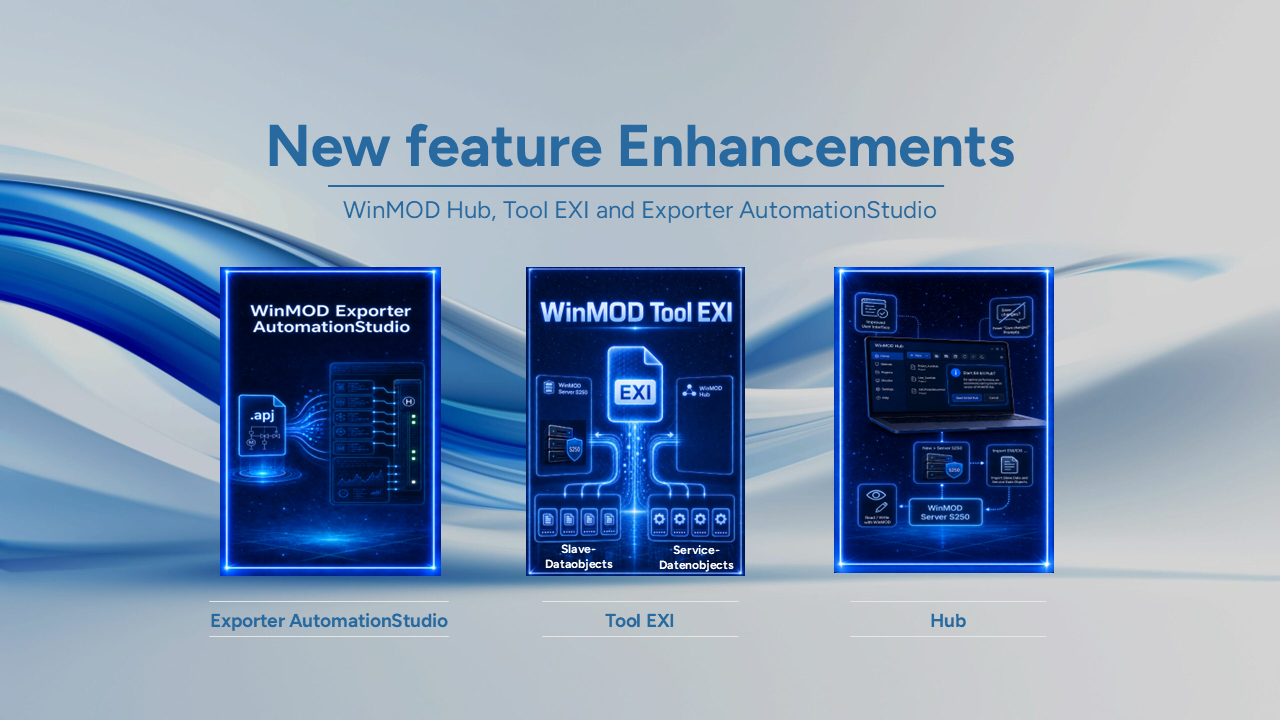
Numerous improvements to the user interface make day-to-day work in the WinMOD Hub easier. The query „Save changes?“ now appears much less frequently. It is only displayed when necessary. If a.wmhubWhen a file is opened in the 32-bit hub, WinMOD checks which application is being used. This applies to the Recorder, the Analyzer and the S250 Server. A prompt then appears asking whether to start the 64-bit hub. Via New > Server S250 You can create a connection to a WinMOD Server S250. Via the context menu Import ENI/EXI … Slave data and service data objects are imported. The imported data can be selected for read and write access using WinMOD. Please also note the new WinMOD tool, EXI.
- New product: WinMOD Tool EXI
The new WinMOD Tool EXI creates EXI files for the exchange of service data objects. These files are used between the WinMOD Server S250 and the WinMOD Hub. They contain the information required for structured data exchange. This enables slave data and service data objects to be transferred to the WinMOD Hub in a targeted manner.
- New product: WinMOD Exporter AutomationStudio
The new WinMOD Exporter AutomationStudio imports B&R AutomationStudio projects via the associated.apj-file.
The exporter then creates a complete driver configuration for WinMOD V8 and the I300. The required operands are also included in the process.
This makes it possible to prepare the integration of B&R AutomationStudio with WinMOD more quickly and in a more structured way.
The new features improve the interaction between WinMOD Hub, the S250 server and TwinCAT 3. Users can import communication data more easily and prepare operand mappings in a targeted manner. This saves time during simulation, testing and virtual commissioning.
If you have any questions about the new features, possible applications or WinMOD V8, our support team will be happy to assist you as usual.